
Hand build 20x10 LED display with Tetris
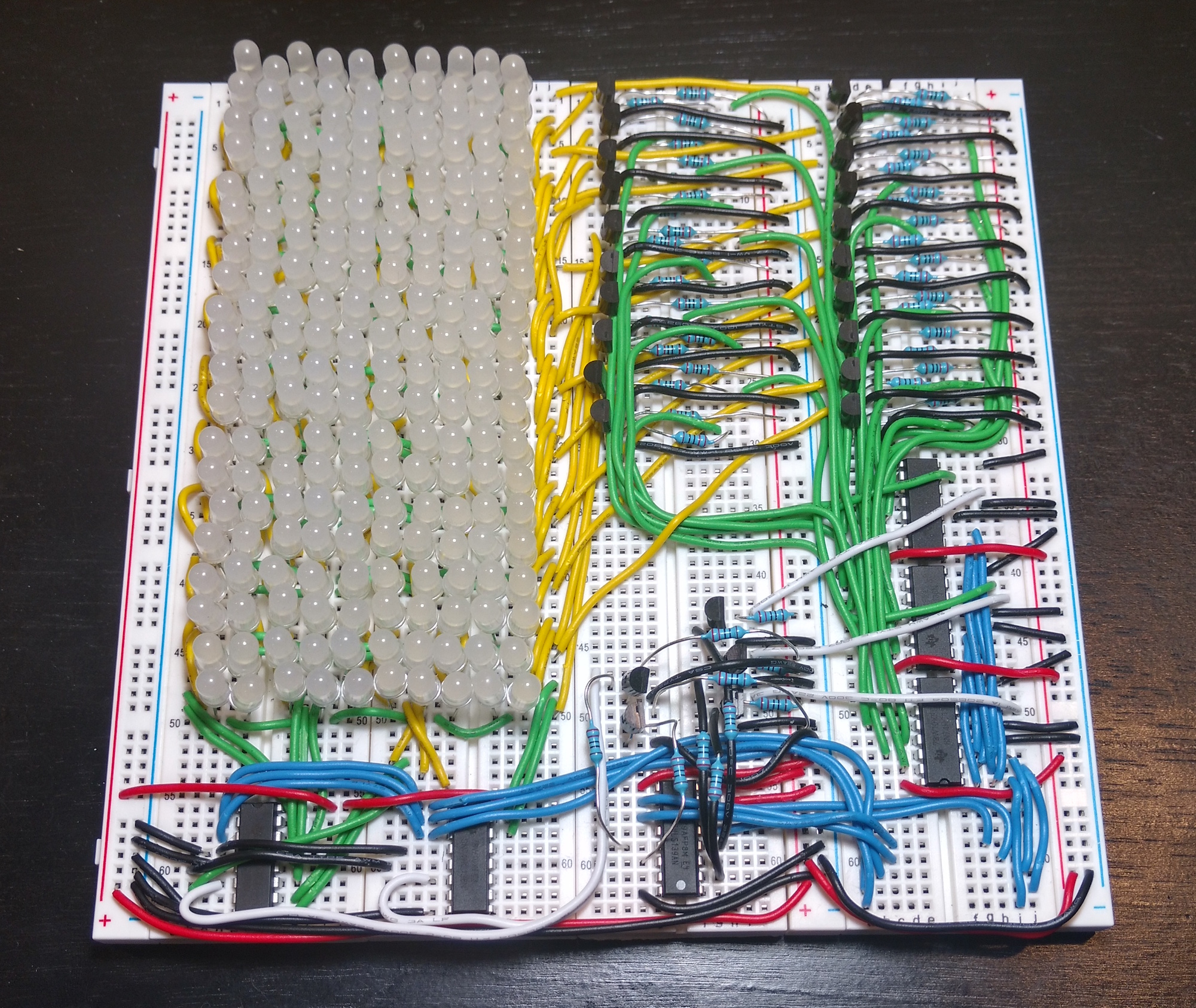
As part of an embedded systems class, we were instructed to create a project powered by an Arduino or Raspberry Pi, using various electrical components, to display competence in the class material. A classmate, Brendan, and I decided to create a display using individual LEDs with the goal to implement a game of Tetris. In order to power the classical 20x10 Tetris display, we needed a way to wire and control 200 LEDs with less than 30 general-purpose input/output, GPIO, pins on the Raspberry Pi. Little did we know that the final project would employ 4 breadboards and 350 hand cut wires.
Project Design
After discussing ideas, we realized that by connecting LEDs across the rows and LEDs down the columns together, that a coordinate-like system could be achieved. Since LEDs need a voltage differential to flow, by supplying 0v to column, x, and 5v to row, y, the LED at coordinate x, y can be illuminated. This method works great as long as only a single LED is illuminated at a time. A list of LEDs that need to be illuminated will be iterated through, flashing every LED on, then off, to appear as multiple LEDs are on at the same time. This idea alone requires only 30 GPIO pins, but that number still needs to be reduced.
Demultiplexers
Our professor, Dr. Andy Keck, introduced the idea of multiplexer chips. Demultiplexers can be used to take n, number of inputs, to power 2n output chips. Using demultiplexers allows us to use 5 GPIO pins to control the 20 rows and 4 pins to account for the 10 columns. Due to our particular situation, we chose to use 5 pins to control the columns to prevent the first led from defaulting to the on position while keeping zero based indexing in the software. Ultimately, this reduced the number of required GPIO pins from 30 to a very manageable 10.
Getting It Done
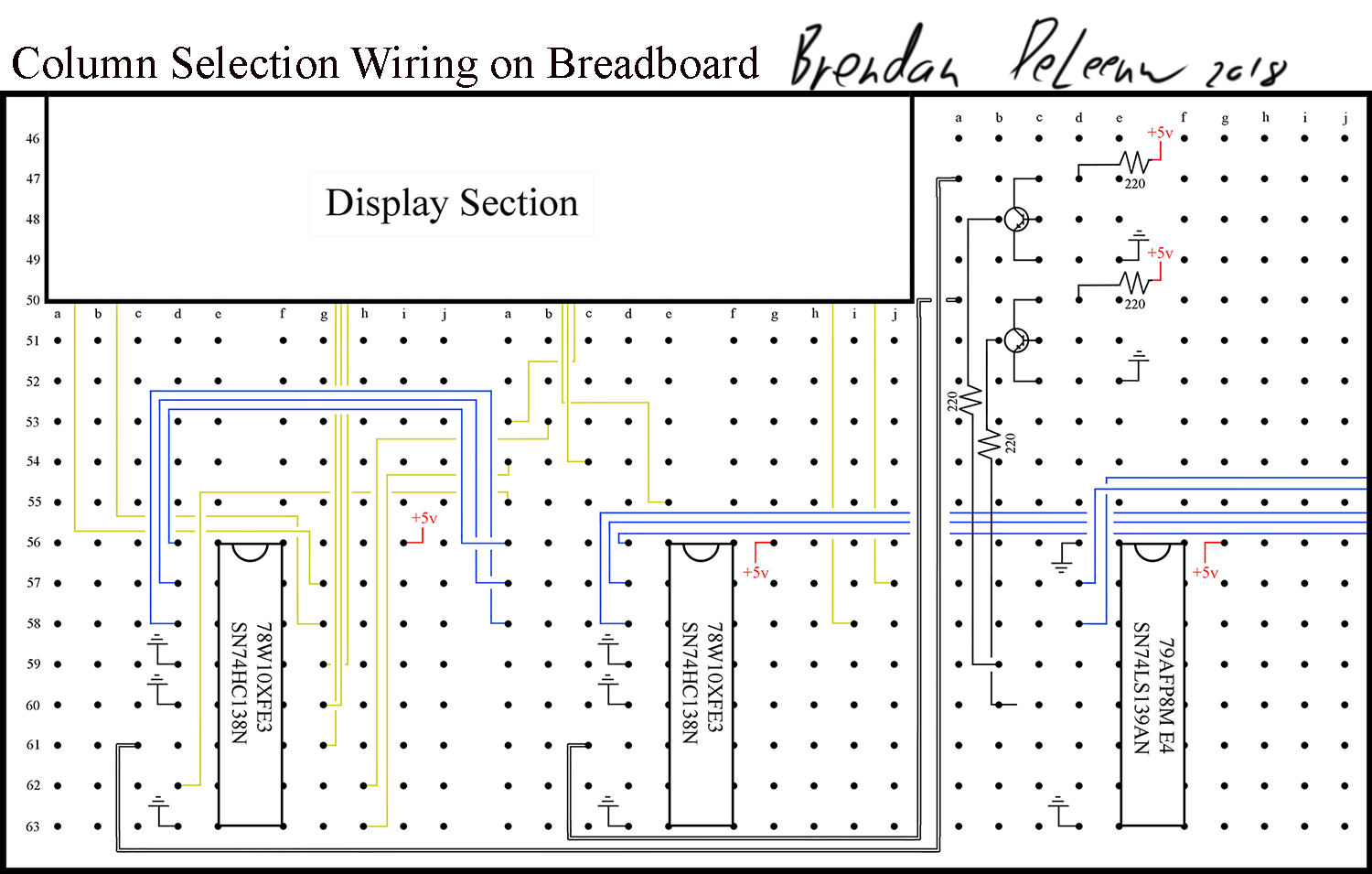
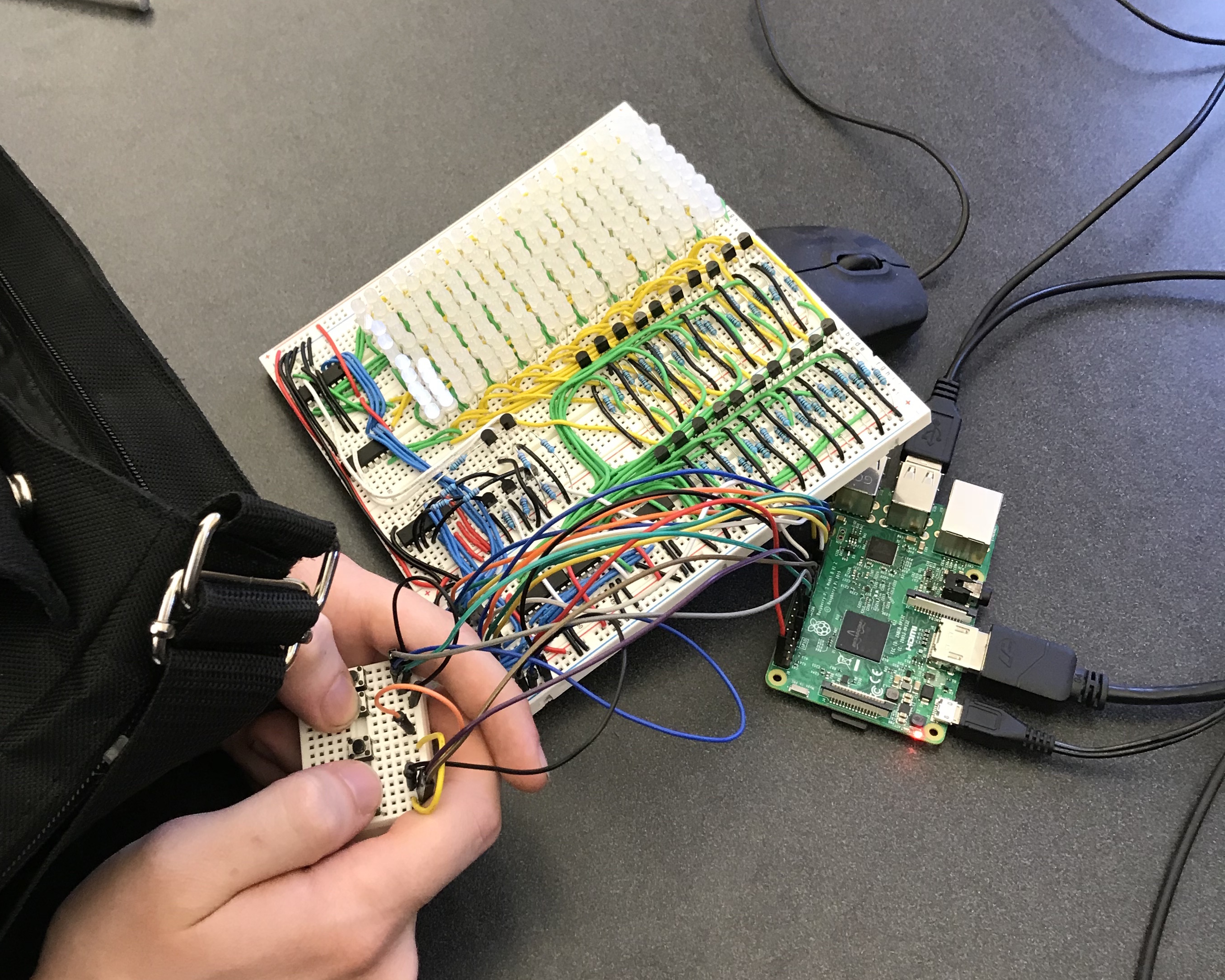
As it turns out, 5 to 32 pin demultiplexers are not readily available, but a 2 to 4 used with three 3 to 8 demultiplexers can be used together to achieve 32 output pins. This works by using the highest two binary inputs to supply the 2 to 4 chip to enable a single 3 to 8 chip, while the lowest three binary inputs supply input to every 3 to 8 chip. Below, on the left, is a diagram of how to columns are controlled with one 2 to 4 chip and two 3 to 8 chips. The same logic is used for the rows. It is worth mentioning that our demultiplexers send low to the selected output pin and high to the rest. While this is ideal for controlling the columns, it means that the demultiplexer outputs going to the 3 to 8 chips and to the rows need to be inverted. While we didn’t have inverters on hand, we were able to make them using transistors. This can be seen in the top right quadrant of the project, inverting the voltage from the demultiplexers to the rows, and above the 2 to 4 chip at the bottom of the third breadboard. It is also worth noting that our 2 to 4 chip is actually two 2 to 4 chips in one, so it’s output is wired, through inverters, to the enable pins on the 3 to 8 chips for both the rows and columns.
LED Wiring
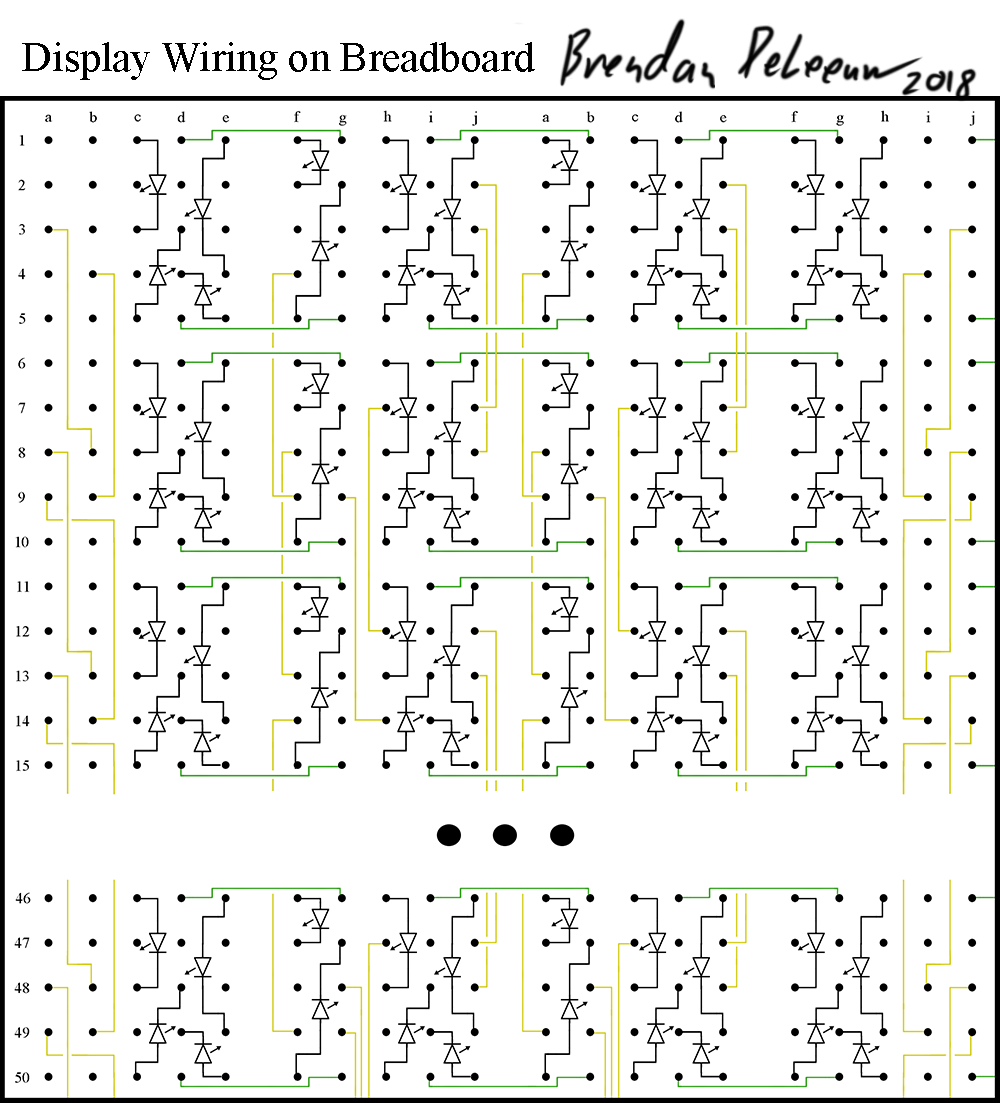
In order to connect the rows and columns in series, a lot of individual wires needed to be cut. Luckily, we were able to plug in 2x3 grids of LEDs to share appropriate power and grounds. Wires were then cut to jump each grid, connecting the whole display, detailed in the wiring diagram above on the right. The forest of wires responsible for this is hidden underneath the LEDs.
Code
The library, driver.py, is responsible for communication between the Raspberry Pi and the display board. It’s responsible for setting up the GPIO pins, changing the illumination state of LEDs, and cleaning up the GPIO ports. The game, tetris.py, is responsible for running the Tetris game, responding to the buttons, and telling driver.py which LEDs to illuminate.
Here is Brendan playing Tetris, with the controller, and the rest of the project assembled.
Closing Thoughts
Although this project involved a lot more time and effort than we had expected, it was an extremely rewarding and fun project that I will never forget. We joked about this being our prototype, as we thought about improvements like building the demultiplexers ourselves. With that being said, I believe we were close to the limits with this project. We noticed a small amount of ghosting, stray LEDs faintly being lit, on the display, which we believe were caused by the hand built inverters. Also, when the display starts to fill up, the flashing of the LEDs becomes noticeable to the viewer. Of course this project could have been accomplished with a custom circuit board, LED strips or even a LCD display, but we fancied the idea of building everything that we could, embracing the retro design and spending countless hours sticking over 1300 wires into breadboards.
Thanks for checking out our project!
Project Links
Check out the GitHub repository